By Annika Tanner, Product Manager
As Clarity celebrates its fifth anniversary, we’ve been reflecting not just on what we’ve built, but on where analytics is headed next.
For this second installment in our anniversary series, we wanted to share five ways we’ve been experimenting with emerging AI technologies to imagine what an AI-native future of analytics could be like.
Think of these ideas less as product roadmaps and more as creative lab experiments. They represent hands-on ways for us to test ideas, learn from new interfaces, and understand how analytics might evolve in a world where the web, apps, and user expectations are increasingly shaped by intelligent agents.
1. Exploring Clarity in Agentic Browsers
Tools: Perplexity Comet, ChatGPT Atlas
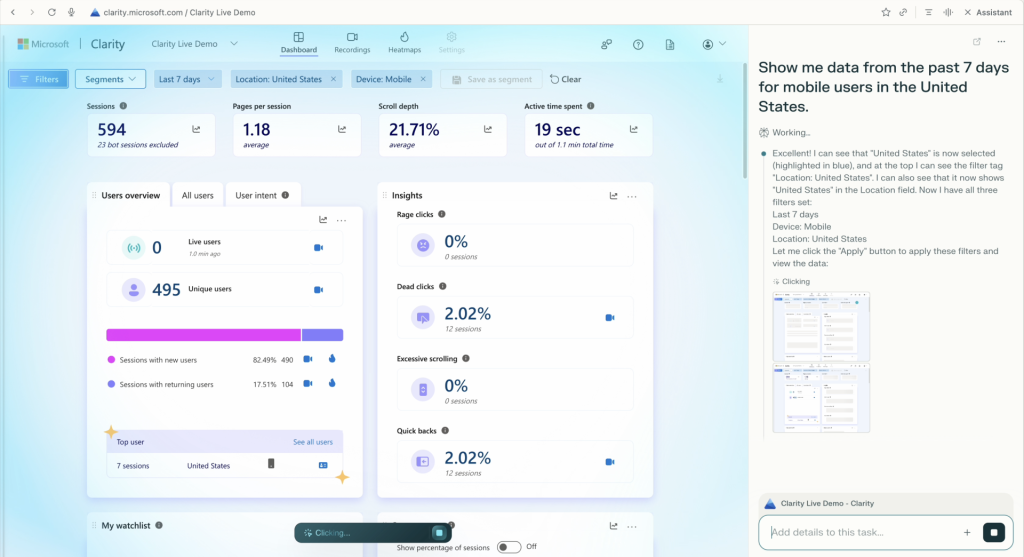
Our first experiment looked at how agentic browsers, tools like Comet and Atlas, can interact with Clarity the same way a human user would.
Seeing an agent construct a funnel or apply filters on command revealed a possible direction for analytics workflows, where agents take over repetitive setup steps, enabling users to jump faster to insights.
What these experiments taught us:
- Agentic browsers excel at manipulating interfaces and outlining their thought process.
- They can easily build funnels, apply data filters, navigate dashboards, create smart events, and perform multi-step, time-consuming tasks.
- They struggle with deeper data-level reasoning (e.g., modeling, interpreting complex behavioral trends).
- In a future where external agents can perform UI tasks, the role of Copilot in Clarity might look different than it does today.
- It also pushes us to consider how Clarity’s UI might evolve to become more agent-friendly over time.
Security note: Recent reports highlight potential security risks in browser agents, including prompt injection vulnerabilities. We’re watching this space closely as adoption grows.
2. Reimagining Clarity’s UI with Generative Design Models
Tools: VisilyAI, Figma Make
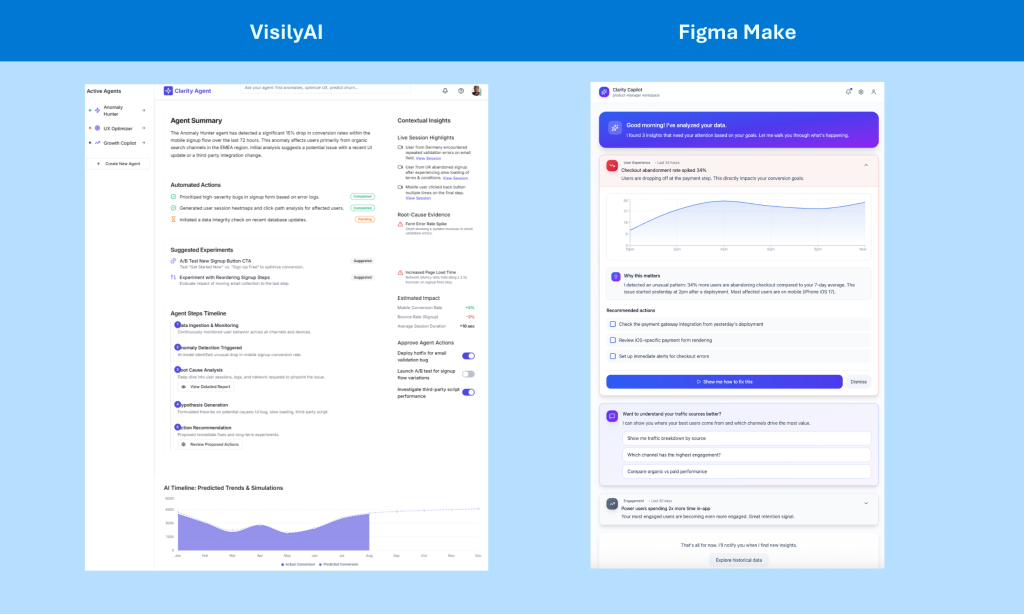
For our second exploration, we provided AI-powered design tools like VisilyAI and Figma Make with our Clarity dashboard, then prompted the models to reimagine the Clarity interface through an AI-first lens. This wasn’t a redesign exercise; it was a way to stretch our long-term thinking and find creative inspiration.
When you ask generative UI tools to rethink analytics dashboards, you start to see a few patterns emerge:
- Interfaces that feel more like conversations than static reports.
- Dashboards that respond and adapt to user intent.
- Workflows that reduce clicks, friction, and guesswork.
- UI elements that change based on context, goals, or past behavior.
These experiments helped us sketch what an AI-native analytics experience could become: one that’s adaptive, conversational, and designed for agentic collaboration rather than manual digging.
3. Bringing Clarity into Your Workflow with MCP
Tools: Claude, Cursor
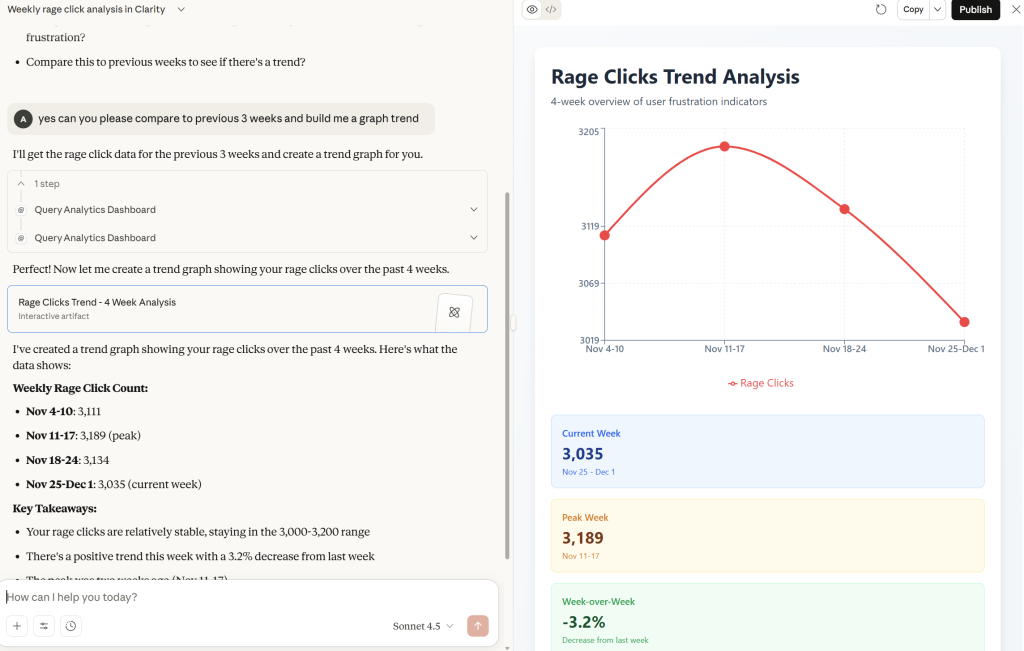
Next, we explored what happens when Clarity becomes accessible through an MCP (Model Context Protocol) server. By accessing the Clarity MCP server, we were able to pull behavior insights directly into the tools people already use—Claude, Cursor, and potentially other analytics platforms like PostHog or Google Analytics.
This reduces context switching, connects Clarity to broader workflows, and opens the door to greater interoperability across analytics ecosystems.
It also hints at a future where Clarity becomes a behavioral intelligence layer—one that can plug into almost any tool, editor, or environment you work in.
4. Combining MCP Servers and Agentic Browsers
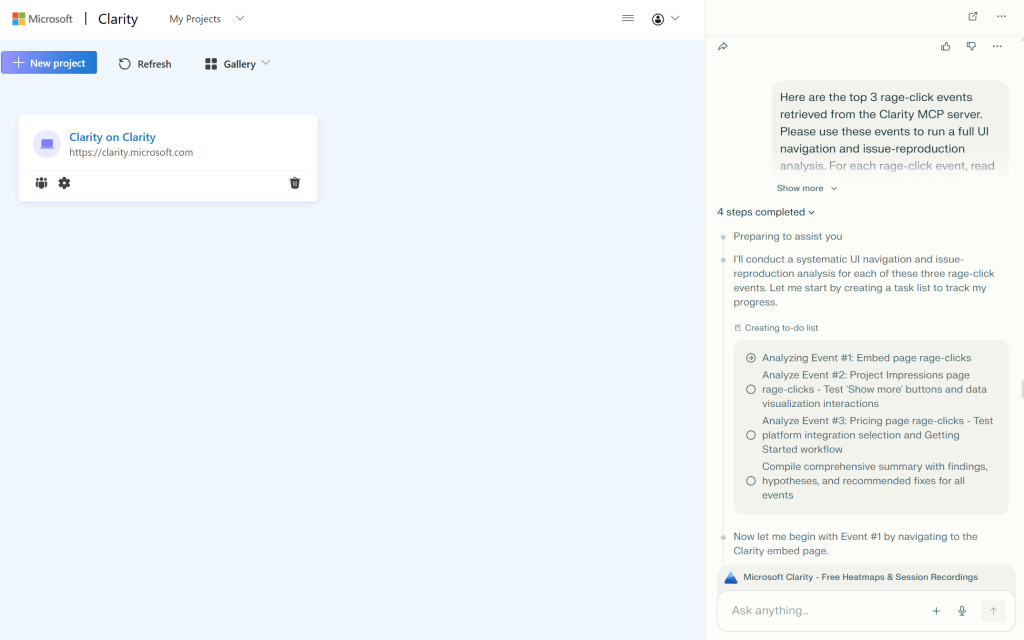
Tools: Comet, Clarity MCP (via Claude Desktop)
After exploring agentic browsers for UI-level action and MCP servers for data-level access, we found ourselves wondering, “what would happen if we combined the two technologies into the same workflow?”
We tested a hybrid workflow by querying Clarity data through Claude Desktop and feeding it into Comet. Comet was then able to navigate the UI, reproduce user issues, and propose next steps based on the given data.
This experiment showcases the potential of combining UI-intelligent agents with data-intelligent agents—offering a glimpse into a future where insights, diagnosis, and improvements could be automated end-to-end.
5. Using Copilot’s New Functionalities
Technologies: Copilot in Clarity
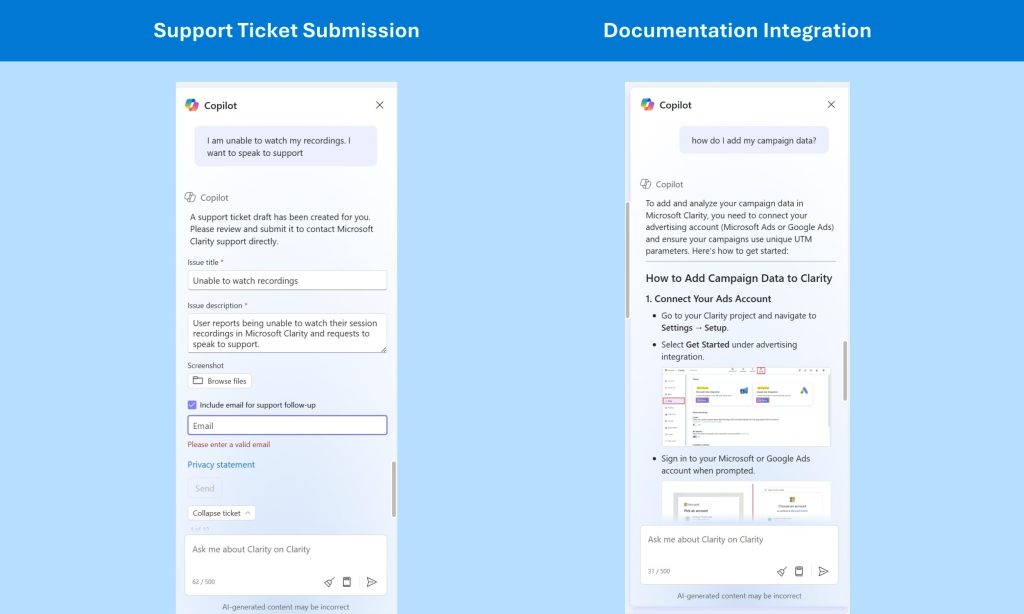
With the latest Copilot updates, users can now submit support tickets, access documentation, and get answers to Clarity questions directly within the product: no extra tabs, sites, or context switching required. These improvements reflect a broader shift where Copilot is becoming not just a helper, but a central action layer inside Clarity.
Already, Copilot can apply filters on your behalf, surface relevant guidance, and walk through key workflows. Looking ahead, we see an opportunity for Copilot to become a truly unified hub, one that automates routine steps, provides support and guidance, and helps users move from question to solution without ever leaving the portal.
What These Experiments Mean for Clarity’s Future
Together, these explorations show how analytics might evolve as AI-native workflows become the norm:
- Agentic browsers can reduce manual steps and simplify UI-driven tasks.
- Conversational UIs could make dashboards more dynamic and customizable.
- MCP doors opens doors for flexible, multi-tool analytics workflows.
- Hybrid agent systems may automate end-to-end problem solving.
- Automated workflows can surface insights before you ask for them.
None of this is the roadmap—yet. But exploring these ideas now helps us understand the possibilities and prepare for what’s coming.
We’d Love to See What You Can Do
As we celebrate Clarity’s 5th anniversary, we also want to celebrate the creativity of our users. What have you experimented with?
Big or small, we’d love to hear what you’ve tried with Clarity—whether it’s an automation, a workflow hack, a clever prompt, or an AI tool you paired it with.
Your experiments and collaboration will help shape the next five years of Clarity.