
SaaS products live or die by their first impressions. A clunky onboarding experience or hidden friction points can silently kill adoption and activation, even for products with incredible features. That’s where Microsoft Clarity comes in.
In this guide, I’ll show how to turn Clarity’s tracking and insights into actionable data that improves onboarding, activation, and overall experience for SaaS products. I’ll also share practical examples from my own SaaS product, Silver Spoon.
By the end, you’ll understand how to stop building in the dark, surface friction before it hurts users, and get more value from your Clarity data.
How to Better Measure Onboarding in Clarity
Getting clear visibility into how users navigate your onboarding flow is one of the most important steps in growing any SaaS product. That initial experience often determines whether users continue using your product or abandon it after signing up.
Map Your Onboarding Flow
Microsoft Clarity collects several smart events out of the box, but most are click-based and don’t always represent successful completion of an action. To really understand onboarding, you need intentional tracking.
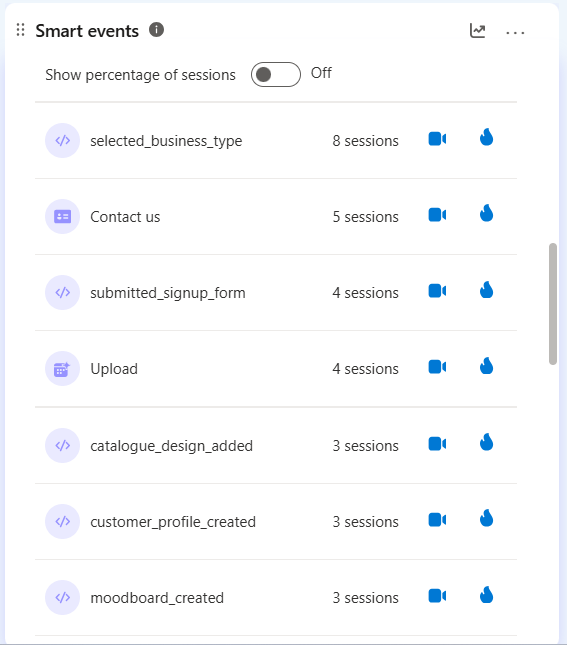
Start by mapping out your onboarding process:
- What steps must users complete?
- What actions move them to the next stage?
- Which user attributes are important for analysis and segmentation?
Example: At Silver Spoon, the first onboarding step is selecting a business type. Instead of just tracking completion, we also capture the selected business type for later segmentation and insights.
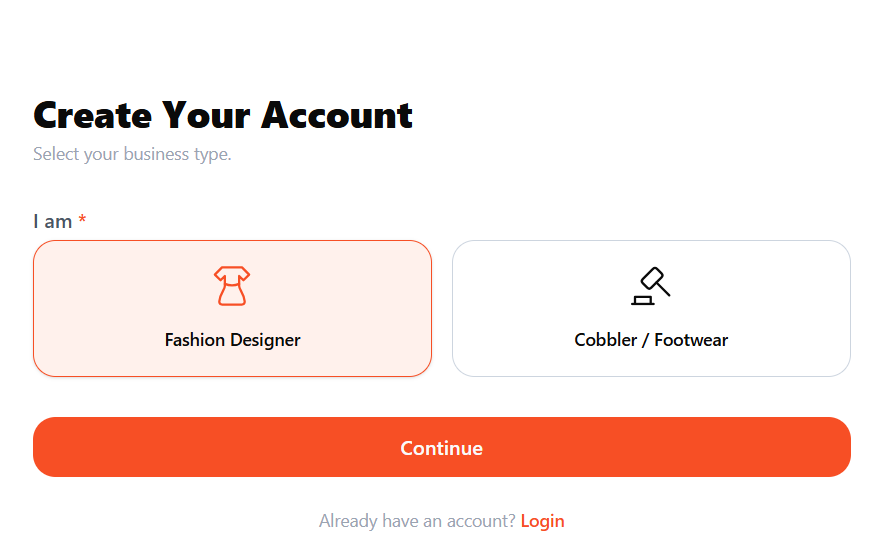
Track Success with Custom Events
Once you’ve mapped key actions, track successful completion as custom events using the Clarity API. This allows you to go beyond default click tracking and tie behaviors directly to meaningful milestones.
This is actually straightforward. All you need to do is define the event name you want to track.
window.clarity(“event”, “<onboarding event here>”)
You can also associate sessions with individual users using Clarity’s custom user ID capabilities.
window.clarity(“identify”, “<user ID here>”)
Use Custom Tags Creatively
Although Custom Tags are primarily for page-level attributes, you can use them to add event properties. For example, we track:
- Business type (fashion designer vs. cobbler)
- Sign-up method (social login or form)
- User role (account owner vs. invited team member)
This gives richer insights into onboarding behaviors and allows better segmentation.
Measuring Activation and User Friction
Onboarding is just the start. The next step is activation: the behaviours that show a user is genuinely investing effort into using your product. These actions will vary depending on your SaaS product, but they usually represent moments where a user starts experiencing real value or making the investment to enjoy that value later.
What Counts as Activation?
Activation actions vary by product, but often include:
- Creating the first project
- Inviting a team member
- Uploading data
- Completing a setup process
- Connecting an integration
The type of activation event you track and the timeframe you expect users to complete it in depends entirely on your product.
If the activation action is something users are expected to complete quickly after signing up (for example, within the first 30 minutes) and it’s relatively simple, then it’s worth tracking closely.
Track Friction Signals
Tracking activation alone isn’t enough. You should also monitor user struggles. Clarity provides friction signals automatically, including:
- Dead clicks
- Rage clicks
- JavaScript errors
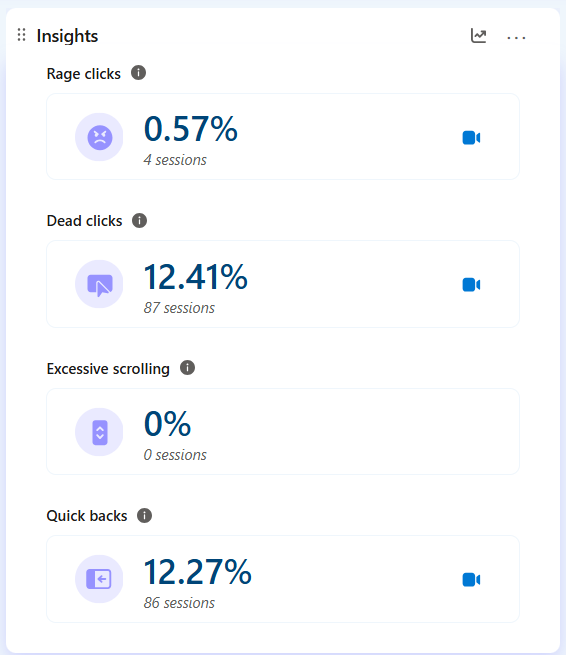
These metrics are particularly valuable during onboarding and critical product flows.
Example: At Silver Spoon, we track signup form submission errors to see if issues were caused by:
- Poor form design
- Natural user mistakes
- Validation problems
- Functional bugs
This helped us quickly identify patterns and improve the signup experience over time.
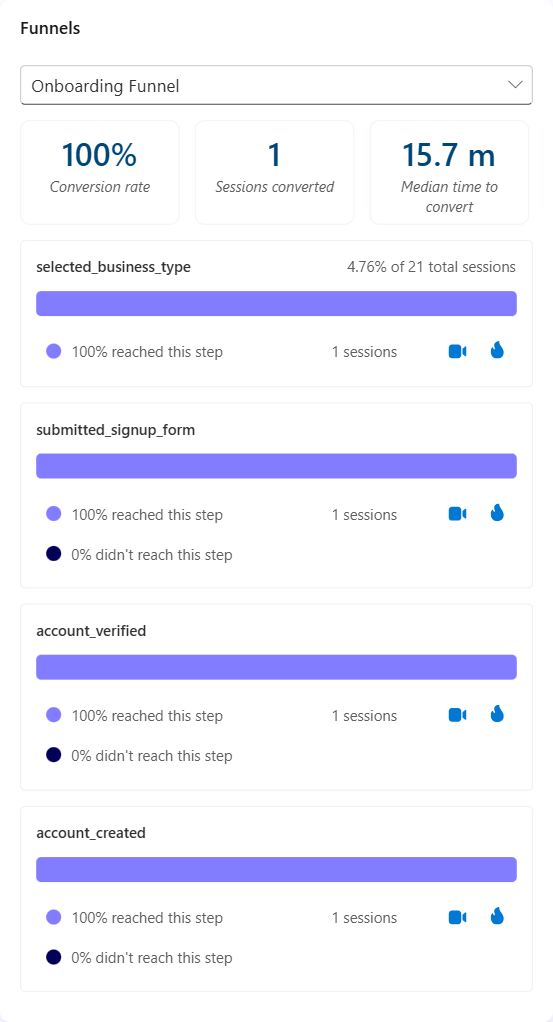
Funnels for Onboarding and Activation
Funnels help you visualize how users progress through important steps in your product. For onboarding, you can build funnels for:
- Your onboarding process
- Account upgrades
- Subscription purchases
- Feature adoption flows
- Multi-step setup processes
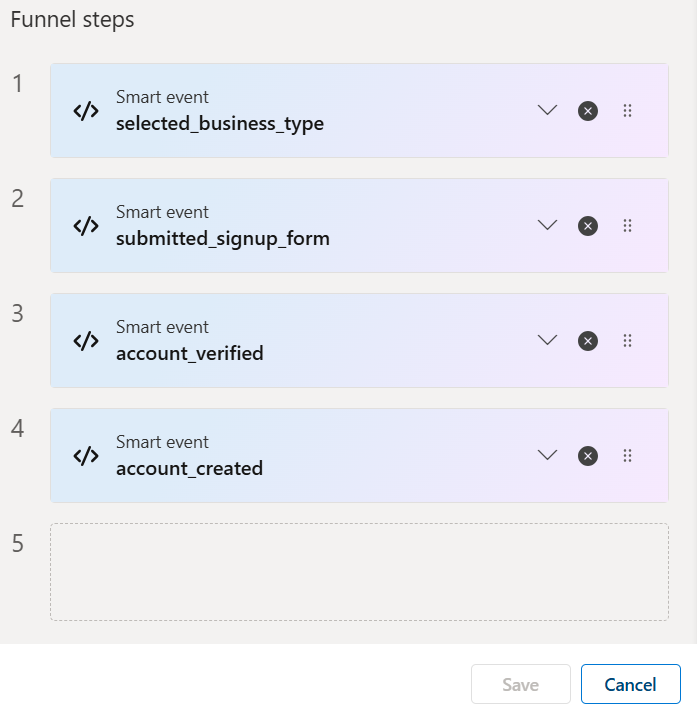
We recommend using a combination of API Events, Auto Events, and built-in Clarity signals. Funnels show where users drop off, which actions they struggle with, and where improvements are needed.
As you track onboarding and activation, be sure to respect user privacy by masking sensitive information and using the Microsoft Clarity Consent API, so your insights remain actionable without compromising data protection.
Closing Thoughts
Microsoft Clarity is more than just a click-tracking tool; it’s a powerful resource for understanding how users engage with your SaaS product. To get the most out of Clarity, you should go beyond installing the script and implement intentional event tracking, smart segmentation, and funnel analysis to unlock the true value.
By measuring onboarding and activation, monitoring friction, and respecting privacy, you can turn behavioral insights into meaningful product improvements, ultimately improving adoption, retention, and user satisfaction.
Jude Onyejekweis a Microsoft Clarity Ambassador and co-founder of DumbData, an analytics and measurement resource hub, as well as Silver Spoon, a SaaS fashion business management platform built for fashion designers, tailors, and cobblers.