As AI platforms and crawlers play a bigger role in how content is discovered, publishers need more than traffic volume to understand their AI visibility. They need to know which bots are accessing their content, what those bots are trying to reach, and whether those platforms are honoring the access preferences defined in robots.txt.
With this new release in the Bot Analytics dashboard, Clarity now detects and surfaces robots.txt bot violations. You can see when bots request disallowed URLs, track violation trends over time, and filter activity by operator, bot name, and activity type to understand which crawlers are ignoring your rules and what content is attracting non-compliant activity.
What’s New
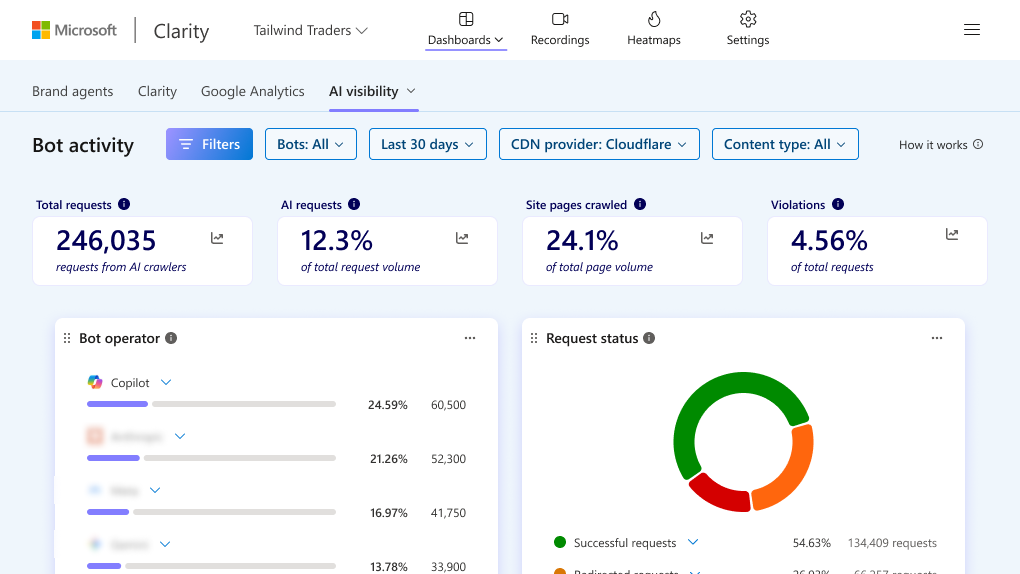
This release adds a clearer view of crawler behavior so you can evaluate not just how often bots visit your site, but how they interact with your content access policies. Clarity checks bot requests against your site’s robots.txt directives and helps you separate compliant and non-compliant traffic for deeper analysis.
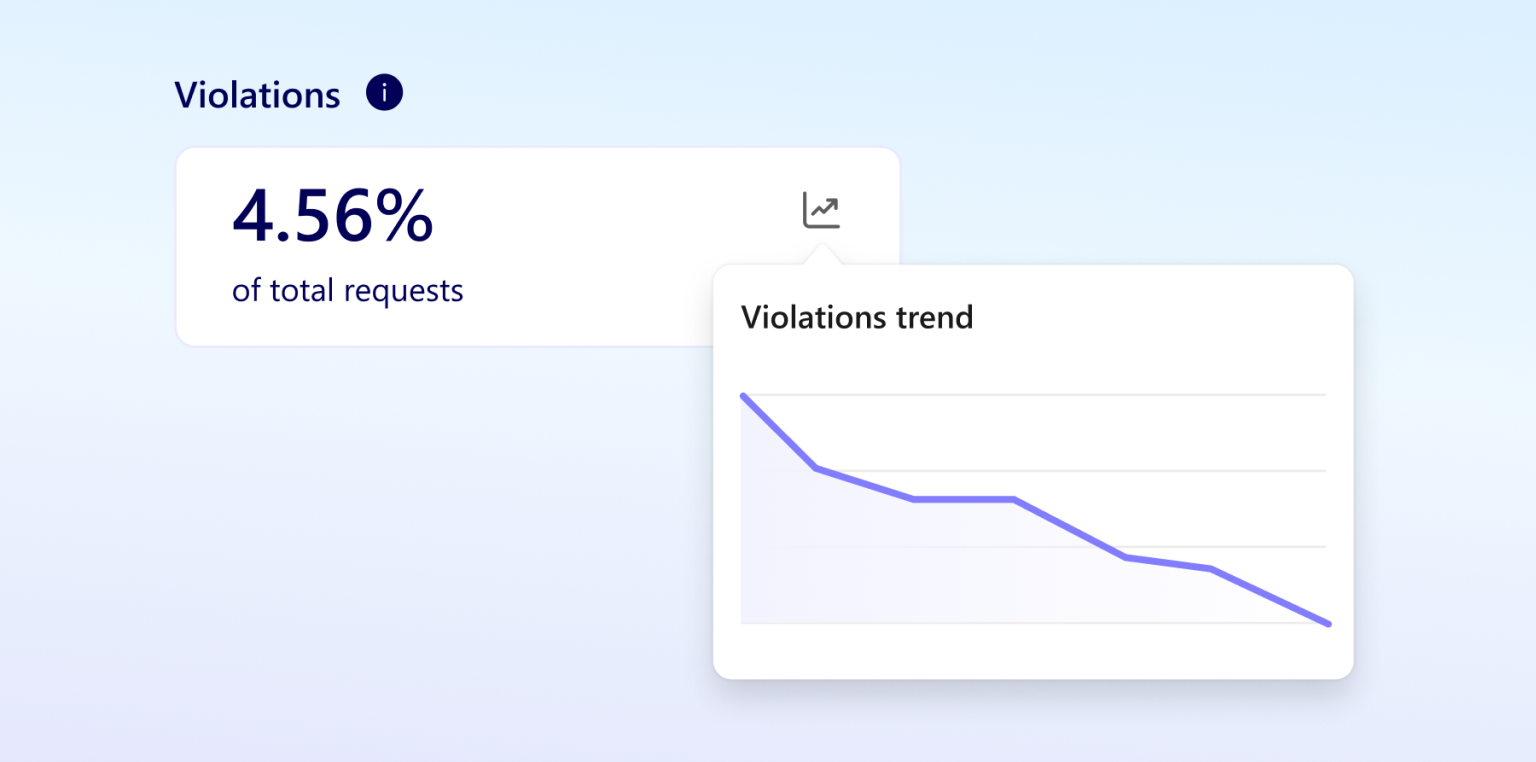
- Violations card: See Violations as a percentage of total requests made by bots to your site, helping you quickly understand how much bot activity is ignoring your crawl rules.
- Violation trendline: Track how violation patterns change over time so you can spot spikes, monitor persistent offenders, and understand whether non-compliant activity is increasing or stabilizing.
- Filter by operator, bot, and activity type: Slice the data to identify which operators and bots are violating your robots.txt directives and isolate the types of activity driving those requests.
- See what bots are accessing: Review the URLs and paths generating violations to understand whether crawlers are attempting to access high-value content, restricted resources, or other sections of your site that are meant to stay out of bounds.
- Compare compliant and non-compliant requests: Distinguish between bots that respect your crawl preferences and those that do not, giving you a more complete picture of how AI platforms and crawlers interact with your published content.
- Content-level visibility: Analyze violation activity by path and content type to identify what content is attracting non-compliant bot traffic and where enforcement or mitigation may be needed.
This gives publishers a more actionable way to assess AI visibility. Instead of relying on request counts alone, you can understand whether AI systems are discovering your site in ways that align with your preferences, where they are overstepping, and which parts of your content estate are drawing the most non-compliant attention.
Get Started
Before using this feature, your project admin will need to connect a supported CDN through the AI Visibility section in your Project Settings. Supported CDNs include Fastly, Amazon CloudFront, and Cloudflare.
For WordPress sites using the latest Microsoft Clarity plugin, AI Bot Activity will be available automatically. Sites running an older version of the Clarity plugin for WordPress will need to update it to access the feature.
Once your CDN is connected, you can access robots.txt violation insights:
- Open your project in Clarity and go to the Bot Analytics dashboard.
- Locate the Violations card to review the share of bot requests that violate your robots.txt directives.
- Use filters for operator, bot name, and activity type to narrow the view to the crawlers and behaviors you want to investigate.
- Review violating URLs, paths, and content types to understand what bots are accessing and which content is attracting non-compliant activity.
- Compare compliant and non-compliant requests over time to identify patterns and decide whether to update monitoring, enforcement, or content protection workflows.
This feature is now available in Clarity. If you already use Bot Analytics, violation insights are ready to use immediately.
Related Resources
- New Ways to Measure Bot Activity in Clarity: Learn more about the broader Bot Activity enhancements in Clarity and how they help you analyze crawler behavior beyond basic traffic counts.
- See AI Bot Activity with Clarity: Get background on how Clarity brings AI bot activity into analytics so you can understand how automated systems access your site.
- New in Clarity: See How Bots Are Distorting Your Analytics: Explore how bot traffic can affect your analytics and why separating human and non-human activity is important for accurate measurement.