August brought a wave of new features to Microsoft Clarity, each designed to help you move faster, collaborate better, and uncover deeper insights. From tracking AI-driven traffic to capturing annotations in session recordings, these updates make it easier than ever to understand your users and optimize their experience.
Track and Optimize AI Traffic with New Channel Groups
AI platforms are becoming a major source of traffic—and those visitors don’t behave like traditional browsers. They arrive deeper in your site, skip the homepage, and often convert at higher rates. To help you measure and optimize this traffic, Clarity now includes two dedicated channel groups:
- AI Platform: tracks sessions from organic referrals via AI chat tools like ChatGPT, Claude, Gemini, Copilot, and Perplexity.
- Paid AI Platform: tracks sessions from ads within AI chat experiences.
With these new groups, you can segment AI-driven visitors, watch how they move through your site, and refine conversion paths to match their high-intent behavior.
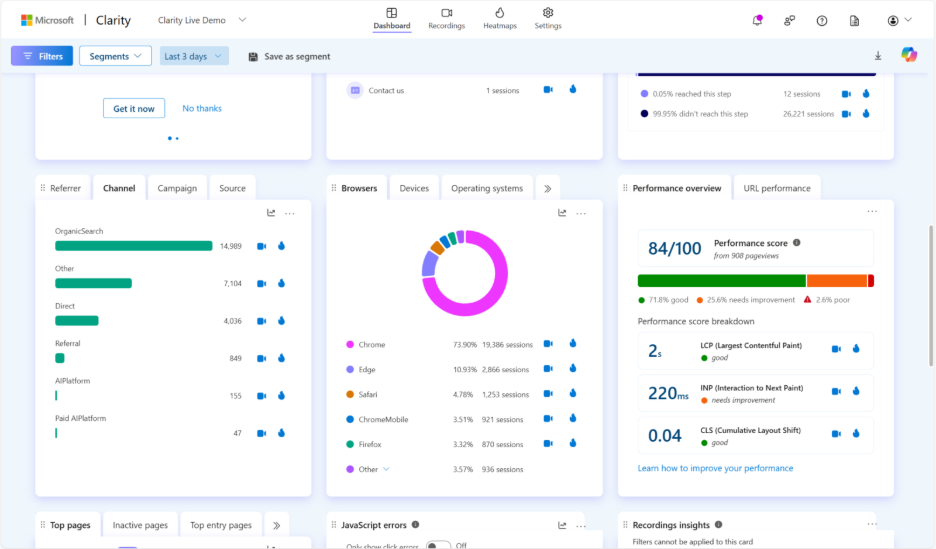
➡️ Explore the new AI Platform and Paid AI Platform channel groups in your Clarity dashboard today.
Capture and Share Insights Instantly with Notes
Stop juggling docs, screenshots, and timestamps—Clarity Notes let you comment directly on session recordings at the exact moment something important happens. Add context in-line, attach labels, and revisit those moments instantly without leaving Clarity.
Built for collaboration, Notes keep your team aligned by replacing patchwork workflows across email, chat, or spreadsheets. Now, discussions stay in context, insights are easier to organize, and everyone moves faster.
- Add comments at key moments in session recordings.
- Filter and organize with integrated labels.
- Keep team discussions in one place, in context.
➡️ Try Annotations in your Clarity dashboard today.
Clarity for Vibe Coding: Build Fast, Learn Faster
Vibe coding is all about rapid building and iteration—but speed doesn’t have to mean guesswork. With Microsoft Clarity, vibe coders can instantly see how real users interact with their projects through heatmaps, session replays, and frustration signals like rage clicks.
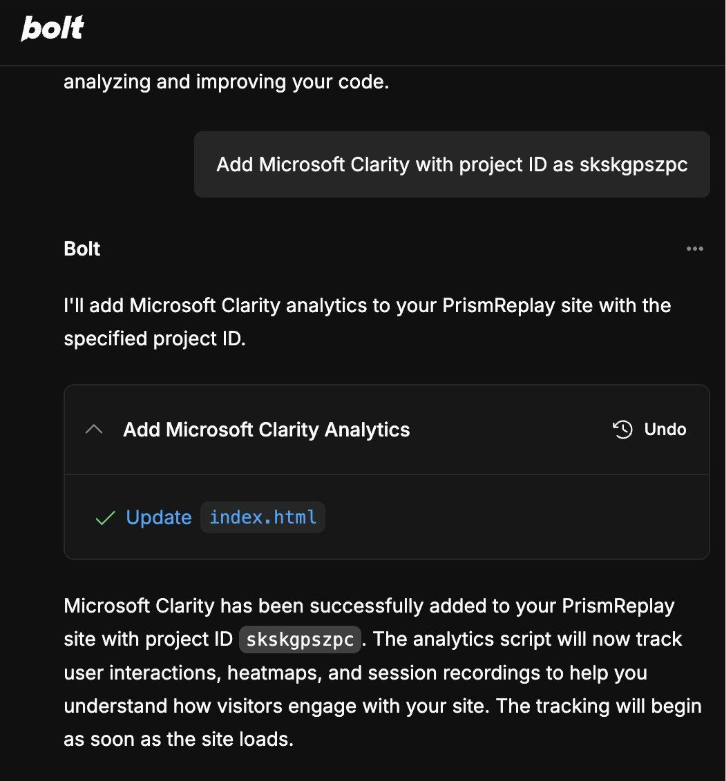
Setup takes just minutes, so you can go from launch to insight without breaking your flow. Pair it with Clarity Copilot to summarize up to 250 recordings at once, and you’ll have the data you need to refine projects quickly and confidently.
➡️ Learn how to add Clarity to your vibe coding projects in seconds.
Smarter Recording Timeline: See Sessions More Clearly
Clarity’s updated session timeline makes it easier to understand exactly what users are doing across tabs and pages. A new vertical marker shows when someone switches pages, and playback now reflects the true order of tab activity—fixing the old issue where sessions appeared out of sequence.
You’ll also see a new way of representing inactivity events with a thin horizontal line, making it simpler to spot pauses in user behavior. Combined with the ability to grab live screenshots from recordings, these updates give you a more accurate and detailed view of every session.
➡️ Try the updated session timeline in your Clarity dashboard today.
Conclusion
August’s updates were all about clarity—literally and figuratively. With new ways to track AI traffic, annotate recordings, support vibe coding projects, and analyze session timelines, you can work smarter and act faster. Stay tuned—September is set to bring more powerful updates your way.