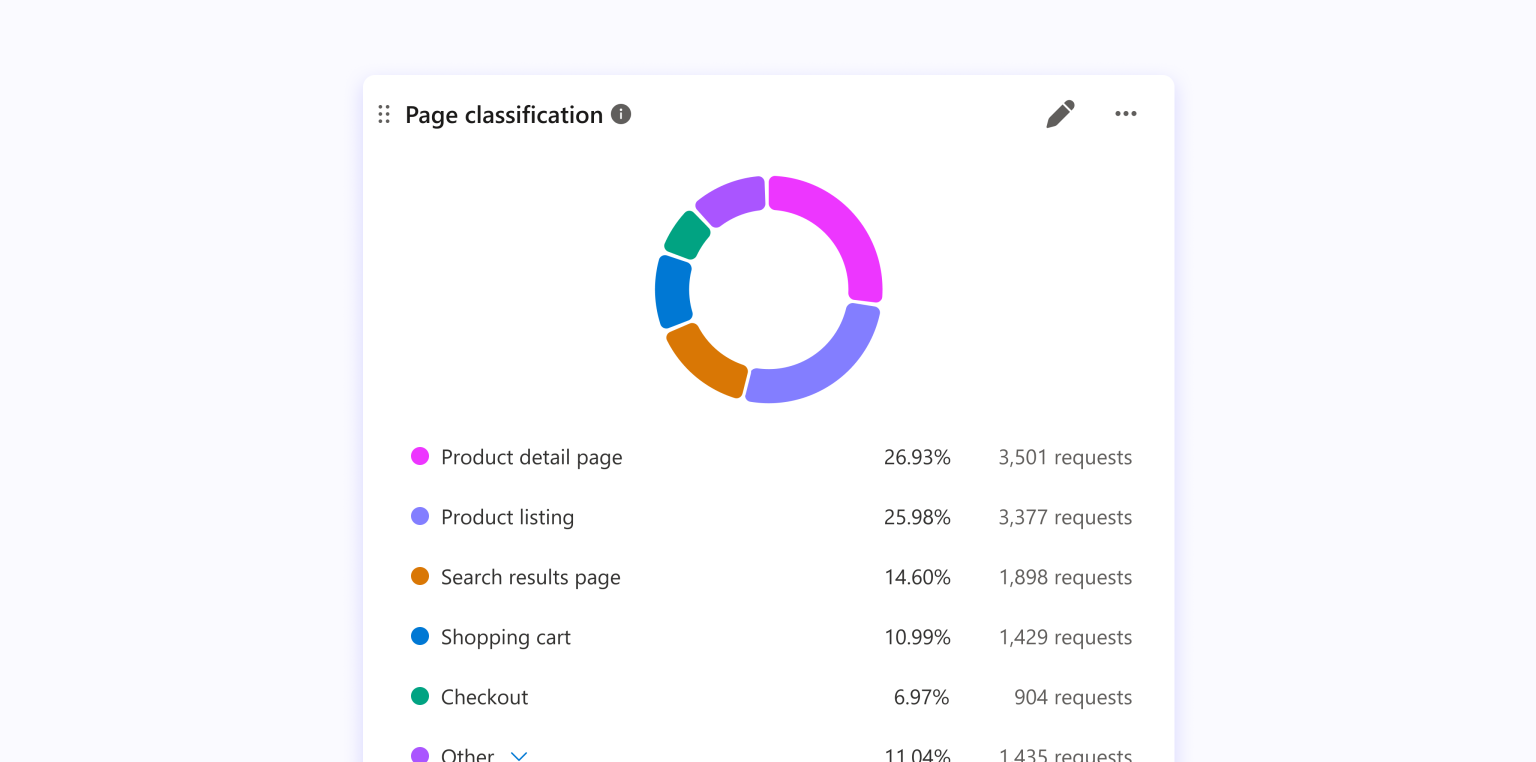
Understanding how bots interact with your website is easier when related pages are grouped together. But when activity is spread across hundreds or thousands of individual URLs, it can be difficult to see which areas of your site receive the most attention or identify patterns across different types of content.
To simplify this analysis, we’re introducing Page Classification in Microsoft Clarity’s Bot Activity dashboard. Page Classification groups your website pages by type, helping you analyze bot activity across your content rather than URL by URL.
How It Works
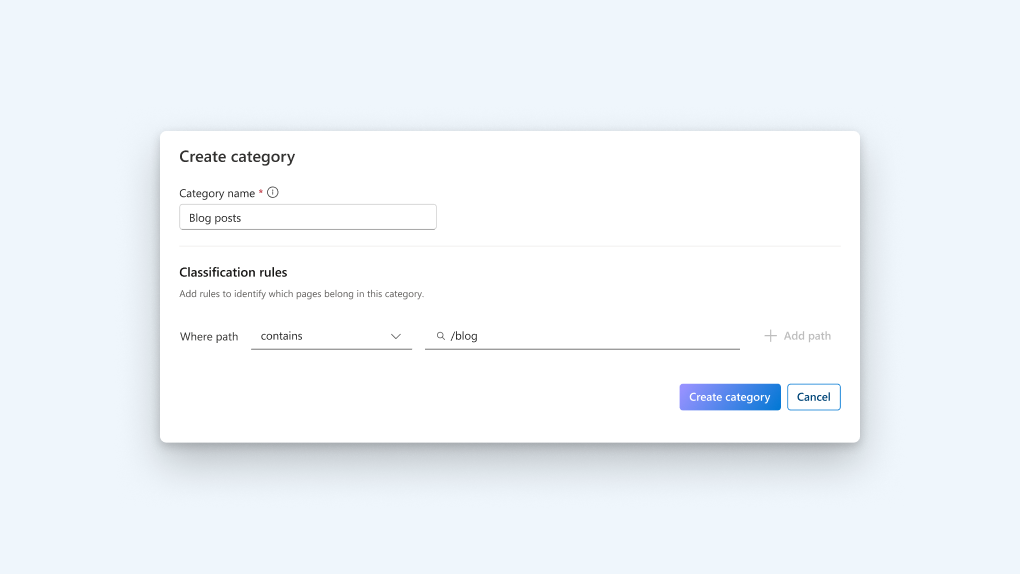
- Automatic page classification: Clarity combines content-based classification with URL-based rules to identify page types, including websites with non-standard URL structures.
- Activity by page type: View bot activity across groups of related pages instead of analyzing individual URLs, making it easier to identify patterns in how bots interact with different areas of your website.
- Customizable classifications: Create custom categories with your own URL paths or add paths to existing categories such as Product, Blog, and Contact Us to better reflect your website’s structure.
- Your rules take precedence: When you create custom classifications, they take priority over automatic classifications, giving you greater control over how pages are categorized.
Page classification can help you move beyond individual page requests and see broader patterns in your bot activity. For example, you might find that bots are accessing product pages more frequently than blog content, or identify a concentration of activity across specific areas of your site.
Availability
Page Classification is available now in the Bot Activity dashboard. You can create and manage classifications to reflect your website’s structure and the way you want to analyze bot activity.